
3 rules free · Nested groups, advanced patterns, second-file export on Pro
Extract exactly the rows you need
Upload a CSV or Excel file, set your rules, and download only the rows that match. Pick from 14 operators, combine rules with AND or OR, and target any column. Pro adds advanced patterns, nested rule groups, and a second file for the rows you filtered out.
No credit card required. Filter your first file without the manual work.
What it does
Match any column with the right operator
Text operators
Equals, not equals, contains, does not contain, starts with, ends with. Match values in any column with case-sensitive or insensitive comparison.
Numeric operators
Greater than, less than, and between. Filter orders above a certain value, ISO dates (YYYY-MM-DD) in a range, or any numeric column. Rows with non-numeric values won't match a numeric rule, but the rest of the file processes normally.
Blank detection
Is blank and is not blank operators find rows with missing data. Clean up incomplete records or extract only complete entries.
List matching
Is one of and is not one of match against a comma-separated list. Pull rows for specific countries, product codes, or statuses. For values containing commas, join equals rules with OR.
AND/OR logic
Combine multiple rules with AND (all must match) or OR (any must match). On Pro, nest groups for complex logic like (A AND B) OR (C AND D).
Advanced patterns and second-file exportPro
Match patterns like phone formats, postcodes, or SKU shapes. On the same job, save the rows that didn't match to a second file so you can review what was filtered out.
How to use it
Three steps to extract
Upload your file
Drag and drop any CSV or Excel file. Operelio reads the data and lists all available columns.
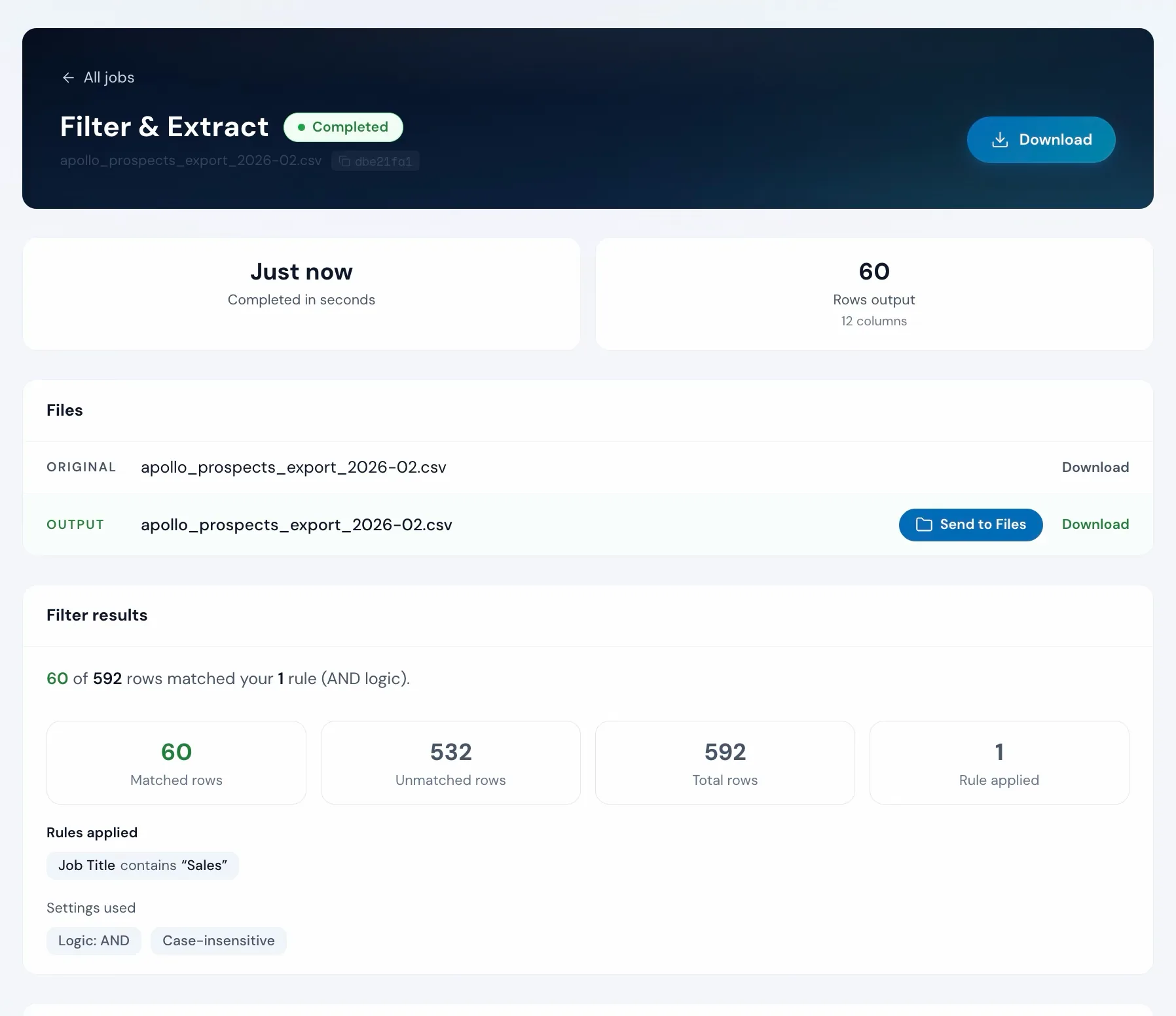
apollo_prospects_export_2026-02.csv
12 columns, 592 rows
Set your rules
Pick a column, choose an operator, and type a value. Add more rules and join them with AND (all must match) or OR (any can match).
Preview and download
See how many rows match. Click Run and download a file with only the matching rows.
The alternative
Doing it yourself
This is what filtering looks like without a tool.
In Excel or Google Sheets
5-15 minutes per filter
Advanced Filter exists but requires a separate criteria range. Copy-paste of filtered rows can accidentally include hidden rows. Repeat for every filter set.
With Filter & Extract
Under 30 seconds
Combine rules across any columns. See the exact match count before running. Download only the rows you need.
Unwanted rows might not be the only problem in that file
Upload it and Bridgeant reviews the file before you commit to a tool. It reports what it finds, orders the problems by how much they actually matter, and points you at the tool for each one. That is on every plan including Free, and it works from a summary of your file rather than the contents.
On Pro and up it stops advising and starts doing. Describe the job in a sentence and Bridgeant plans the steps, shows you the plan, and runs them in the right order once you approve. You are not running four jobs by hand and trying to remember which came first.
See how Bridgeant worksPricing
Free to filter. Pro for advanced logic.
Every operator except advanced patterns is free on every plan, plus AND/OR logic. Pro, Team, and Agency add advanced patterns, nested rule groups, and a second file with the rows you filtered out. Row limits: 2,000 on Free, 50,000 on Pro, 75,000 on Team, 150,000 on Agency.
Free vs Pro
What you get on every plan
Thirteen operators are free on every plan. Pro adds advanced patterns, nested logic, and a second output file.
Operators
- Equals + does not equal
- Contains + does not contain
- Starts with + ends with
- Greater than, less than, between
- Is blank + is not blank
- Is one of + is not one of
- ProAdvanced patterns
Logic
- Up to 3 rules
- AND / OR combine
- Case-insensitive matching
- ProUnlimited rules
- ProNested rule groups
Output
- CSV download of matching rows
- Live preview match count
- Sample preview rows
- ProExcel (.xlsx) download
- ProSecond file with non-matching rows
Common questions
Filter & Extract FAQ
Can I combine multiple filter rules?
Yes. Add as many rules as you need and combine them with AND (all must match) or OR (any must match). On Pro, you can nest groups for complex logic.
What operators are available?
Fourteen: equals, not equals, contains, does not contain, starts with, ends with, greater than, less than, between, is blank, is not blank, is one of, is not one of, and matches pattern. Every one is free on every plan except advanced patterns, which is a Pro feature.
Can I filter on numbers and dates?
Yes. Greater than, less than, and between work with numeric values. Dates in YYYY-MM-DD format sort correctly for range comparisons.
What happens to rows that don't match?
They're excluded from the output by default. On Pro, Team, and Agency, you can enable non-matching export to save them to a separate file so you can review what was filtered out.
Is the search case-sensitive?
Case-insensitive by default. Toggle case sensitivity on if you need exact case matching.
Does it work with multi-tab workbooks?
Yes. The tool reads the workbook's first tab by default, and a tab picker under the upload switches to any other. To filter across every tab at once, combine the tabs into one list in Merge Files first; the optional Source Tab column keeps track of where each row came from.
How many rows can I filter?
Up to 2,000 on Free, 50,000 on Pro, 75,000 on Team, and 150,000 on Agency.
Works well with
Want the full walkthrough? Read the Filter & Extract guide →
Stop hunting for the right rows.
Set your rules, see how many match, download the file. Free on every plan.