
Free on all plans
Messy headers in. Clean format out.
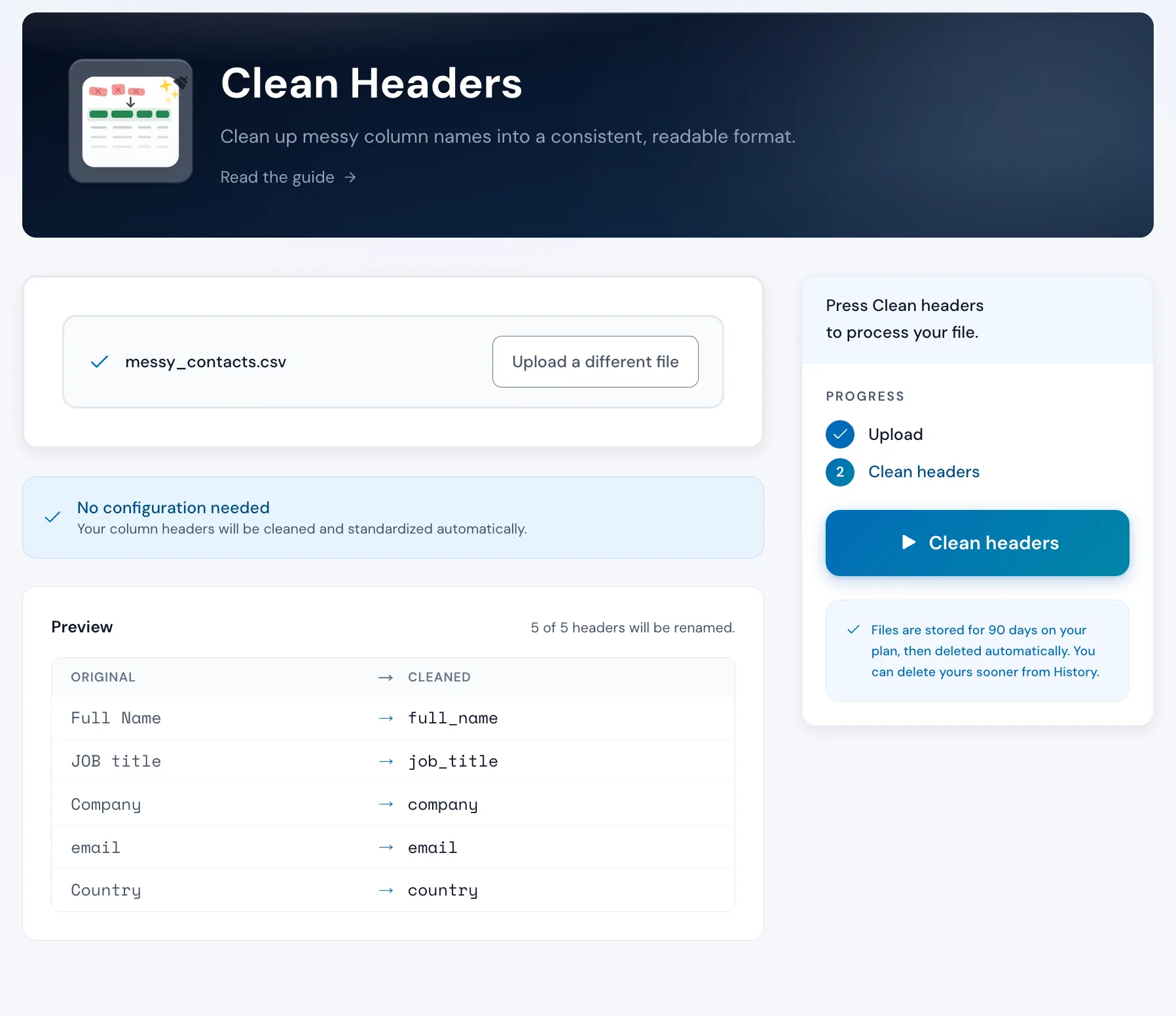
Upload your file. Operelio strips special characters, trims whitespace, and numbers any duplicates. One click. Free.
No credit card required. Headers cleaned without the manual work.
What it does
Every header, cleaned the same way
Lowercase with underscores
Every header is converted to lowercase with underscores between words. "Email Address" becomes "email_address". "Account ID" becomes "account_id".
Special characters stripped
Brackets, exclamation marks, hash symbols, and slashes are removed. So is anything else that isn't a letter or number. Only letters, numbers, and underscores remain.
Whitespace trimmed
Leading and trailing spaces are removed. Double spaces between words collapse to a single underscore. Tabs and other invisible characters that break imports get cleared too.
Duplicate headers numbered
If your file has two columns called "Name", the second becomes "name_2", the third "name_3", and so on. Every column keeps its own data.
CSV and Excel supported
Upload .csv, .xlsx, or .xls files. On Pro, Team, and Agency, your output keeps the same format as your input. On Free, the output is always CSV.
Data stays untouched
Only the header row changes. Every row of data below the headers is preserved exactly as it was. Nothing gets moved, merged, or deleted.
How to use it
Three steps, no configuration
Upload your file
Drag and drop any CSV or Excel file. Operelio reads the headers for you.
messy_contacts.csv
5 columns detected
Review the changes
No config needed. Operelio shows you every header before and after cleaning. Nothing runs until you confirm.
Download the clean file
Click Clean headers and download your file with standardized headers. Every row of data is preserved exactly as it was.
The alternative
Doing it yourself
This is what header cleanup looks like without a tool.
In Excel or Google Sheets
15-30 minutes per file
Repetitive. Invisible characters are easy to miss. You have to redo it every time the same source sends a new file.
With Clean Headers
Under 10 seconds
Every header, every file, the same clean format. No manual retyping.
Messy headers might not be the only problem in that file
Upload it and Bridgeant reviews the file before you commit to a tool. It reports what it finds, orders the problems by how much they actually matter, and points you at the tool for each one. That is on every plan including Free, and it works from a summary of your file rather than the contents.
On Pro and up it stops advising and starts doing. Describe the job in a sentence and Bridgeant plans the steps, shows you the plan, and runs them in the right order once you approve. You are not running four jobs by hand and trying to remember which came first.
See how Bridgeant worksPricing
Free on every plan.
Clean Headers is included on every plan. Free covers files up to 2,000 rows; Pro raises that to 50,000, Team to 75,000, and Agency to 150,000. No limits on the number of columns.
Common questions
Clean Headers FAQ
What format does it convert headers to?
Each header is converted to lowercase with underscores between words. Special characters are stripped, and duplicate names get a numbered suffix (_2, _3). "First Name" becomes "first_name". "Phone # (Work)" becomes "phone_work".
Does it change any of my data?
No. Only the header row is modified. Your data is untouched.
What if I have two columns with the same name?
The first column keeps the clean name. The second gets a _2 suffix, the third gets _3, and so on. This prevents silent overwrites when importing into databases or CRMs.
Is this free?
Yes. Clean Headers is free on all plans. The only limit is row count: up to 2,000 rows on Free, 50,000 on Pro, 75,000 on Team, and 150,000 on Agency.
Can I use this with Excel files?
Yes. Upload .csv, .xlsx, or .xls files. Pro, Team, and Agency keep your input format; Free returns CSV only.
Does it work with multi-tab workbooks?
Yes. The tool reads the workbook's first tab by default, and a tab picker under the upload switches to any other. Each run cleans one tab's headers, so run it once per tab you care about, or combine the tabs into one list in Merge Files to clean everything at once.
Why do CRMs need clean headers?
Most CRM import tools match columns by exact header name. A header like "Email Address!" with stray spaces or punctuation won't match the CRM's "email" field. Clean headers make the match automatic.
Works well with
Want the full walkthrough? Read the Clean Headers guide →
More guides: Clean up messy column headers
Stop retyping column names.
Upload your file, get clean headers back. Free on every plan.