
Client workspaces
Give every client their own isolated workspace, with their own data, members, and logo, all under one Agency account. Up to 25 clients.
By Operelio team · Updated July 2026
On this page6
One account, separate clients
Client workspaces let an agency keep each client's data completely apart while managing them all from one Agency account. Each client gets its own workspace with its own files, members, and branding, and one client's data never appears in another's space. You can run up to 25 client workspaces under one Agency plan.
This is an Agency feature. You create and switch between client workspaces from the workspace menu.
How isolation works
Each client workspace holds its own files, jobs, CRM connections, and suppression list. A member added to one client cannot see another client's data. When you switch clients from the workspace menu, the files and history on screen are that client's and only that client's.
Your setup can travel even though data never does. Build a CRM template, a column mapping, or a workflow once, in any client workspace, and promote it to the Agency library: it becomes visible read-only in every other client workspace, so the whole agency reuses one master without anyone editing it by accident.
Per-client members and logo
Add the right people to each client, and give each workspace the client's own logo so the people working in it, and any shared output, carry the correct branding. A person can belong to more than one client if they work across accounts.
Plans, caps, and usage
Client workspaces inherit your Agency plan and its caps: the same tools, row limits, and included credits, drawn from your Agency account. You can set a per-member credit cap inside a client so one person's work does not use more than its share of the shared pool.
Each client has its own usage view, so you can see what a client is consuming and bill or report on it cleanly.
Creating and archiving
Create a client
From the workspace menu, add a client workspace and give it a name and logo.
Add members
Invite the people who work on that client. They see only that client's data.
Archive when done
When an engagement ends, archive the client workspace. Its data stays separate and out of your active list.
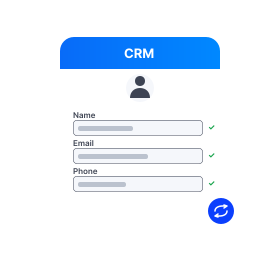
Inside any client workspace, format and push their lists to HubSpot, Salesforce, or Pipedrive without touching another client's data.
Frequently asked questions
How many clients can I have?
Up to 25 client workspaces under one Agency plan.
Can one client's members see another client's data?
No. Each client workspace is isolated. Members see only the clients they are added to, and switching clients shows only that client's files and connections.
Do client workspaces have their own plan?
No. They inherit your Agency plan and its caps, drawing on your Agency account's tools, limits, and credits. You can set per-member credit caps within a client.
What happens when an engagement ends?
Archive the client workspace. Its data stays separate and comes out of your active list, so your account stays tidy without losing the record.
Ready to get started?
Upload a file and run your first transformation. Free, no credit card required.