
How to clean up your CRM data
Export what is already in your CRM, clean it as a file, and send it back over the originals. The full round trip, including what to check before you start.
By Operelio team · Updated July 2026
On this page7
Why cleaning inside a CRM is so slow
A CRM is built to work one record at a time. That is the right design for the job it does every day, and the wrong shape for fixing forty thousand records at once. Merging duplicates is a per-pair decision. Standardizing a country column means editing a picklist and then touching every record that used the old value. Finding the addresses that have gone dead is not something the CRM can tell you at all.
So the work either does not happen, or it gets bought in. Consultancies sell CRM cleanup as a fixed project, priced in the thousands, and the reason it costs that is the hours, not the difficulty.
There is a third route, and it is the one thing spreadsheets are genuinely better at than a CRM: doing the same thing to every row at once. Export, clean the file, send it back.
Is it worth doing?
A full cleanup is worth the effort when one of these is true. If none of them are, a smaller fix is a better use of the afternoon.
| Sign | What it usually means |
|---|---|
| Your reports disagree with each other | The same value is spelled several ways, so every grouping splits |
| Sends are bouncing more than they used to | Addresses have gone stale and nobody has checked them in a while |
| Reps say the same person is in there twice | Duplicates arrived with an import and were never merged |
| Territory or owner routing keeps misfiring | The field it routes on is inconsistent or empty |
| You are about to migrate, merge, or connect a new tool | Whatever is wrong now gets copied into the new system |
The round trip
Three steps, and they are the same whichever CRM you are on. Your CRM is both the source and the destination of the same job.
Export what is already there
Use your CRM's own export. Take the fields you plan to fix, plus the email address, because email is what the records are matched on when they go back. Keep that original export untouched somewhere safe. It is your undo, and it is the only one you get.
Clean the export as a file
Deduplicate on email first, then on name plus company to catch the pairs that used different addresses. Collapse the spelling variants in the columns you group and report on. Verify the addresses and see which have gone dead. Drop the companies whose websites no longer resolve. Screen the whole thing against your do-not-contact list while you are here.
Send it back over the originals
Push the cleaned file to HubSpot, Salesforce, or Pipedrive with update existing turned on. Matches are found by email. You choose whether to fill only the fields that are currently empty, or replace every field you mapped. The preview tells you how many records will be created, updated, and skipped before anything is written.
Run a slice first. Export a few hundred records, take them through the whole round trip, and look at the result in your CRM before you do it to forty thousand. The preview is honest about what it will do, but seeing it land is a different kind of confidence.
What order to clean in
The order matters, because some fixes make the others cheaper.
Deduplicate first. Every other correction costs double while duplicates are present, because you fix the same person twice and the two copies drift apart again. After that, fix validity on the fields something depends on, because a malformed value there breaks the thing that depends on it. Then collapse the spelling variants on the fields you segment and report by, which is usually the cheapest big win. Fill the gaps that matter last, and only on fields you use.
What to check before you start
None of these are blockers. They are the things that are annoying to discover halfway through.
| Thing to check | Where it stands |
|---|---|
| Records are matched on email | A record with no email address cannot be updated this way. Filter those out first and handle them as a separate pass. |
| How much goes through at once | A job takes up to 2,000 rows on Free, 50,000 on Pro, 75,000 on Team, and 150,000 on Agency. |
| How much goes back at once | A push sends up to 50,000 rows, so a larger file goes back in batches. Split File will cut it into the pieces. |
| Which CRMs are written to | HubSpot, Salesforce, and Pipedrive. Files can be formatted for five more, but those are downloaded and imported by hand. |
| What happens to good data | Fill blank fields only leaves existing values alone. Replace every mapped field overwrites, which is what you want when the export is the corrected version. |
| Custom fields | Only fields that exist on the destination record can be written to. Operelio maps to native fields, so anything custom has to already exist in your CRM. |
Doing it again without doing it all again
A cleanup buys you months, not permanence, because the sources that made the mess are still running. What keeps it clean is smaller and duller than the cleanup itself.
Clean the next import before it lands rather than after, since that is where most damage arrives. Save the mapping and the workflow you just built, so the next run is one job rather than an afternoon. Put a re-check on the calendar, quarterly is usually enough. And screen every file against your do-not-contact list every time, not once.
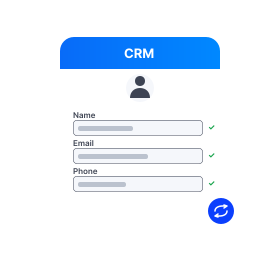
Map a cleaned export back onto your CRM fields and push it, with a preview of what will change before it writes.
Related
Frequently asked questions
Will this overwrite data I want to keep?
Only if you choose that. Fill blank fields only updates fields that are currently empty and leaves everything else alone. Replace every mapped field overwrites, which is the point when your export is the corrected version. The preview shows how many records will be created, updated, and skipped before anything is written.
What happens to records with no email address?
They cannot be matched on the way back, because email is the key. Filter them out of the export, fix or find the addresses separately, then include them in a later push.
How many records can I clean at once?
A job processes up to 2,000 rows on Free, 50,000 on Pro, 75,000 on Team, and 150,000 on Agency. A single push sends up to 50,000, so larger files go back in batches.
Can I do this with a CRM you do not push to?
Partly. Operelio formats files for eight CRMs but pushes directly to three: HubSpot, Salesforce, and Pipedrive. For the other five you download the cleaned file and import it with the CRM's own import tool, which is the same round trip with a manual last step.
How is this different from a CRM cleanup service?
A service does the thinking as well as the work: diagnosing why the data went wrong, deciding the rules, and building the process afterwards. The round trip here is the mechanical part, which is most of the hours. If you know what needs fixing, doing it yourself is quick. If you do not, the diagnosis is worth paying for.
How often should we do this?
Quarterly suits most teams, with the caveat that a cleanup is a symptom. If you are doing it often, the fix is upstream: clean imports before they land, and tighten what the forms and integrations are allowed to write.
Ready to get started?
Upload a file and run your first transformation. Free, no credit card required.